JAMB CBT Exam Guide 2027 App Review: Free Past Questions, Timed Mocks & Real Explanations

Nearly two million students sit JAMB every year, and a painful share of them lose marks for one reason that has nothing to do with how much they know: they run out of time. The exam is on a computer, the clock never stops, and if the first time you feel that pressure is on exam day, you're already behind.
That's the gap the JAMB CBT Exam Guide app is built to close. It puts real JAMB past questions on your phone, lets you sit them under a real countdown, and explains every answer so the practice actually teaches you something. And it's free.
I went through the app screen by screen. Here's what it does, who it's for, and whether it deserves a spot on your phone before 2027 UTME.
What is the JAMB CBT Exam Guide app?
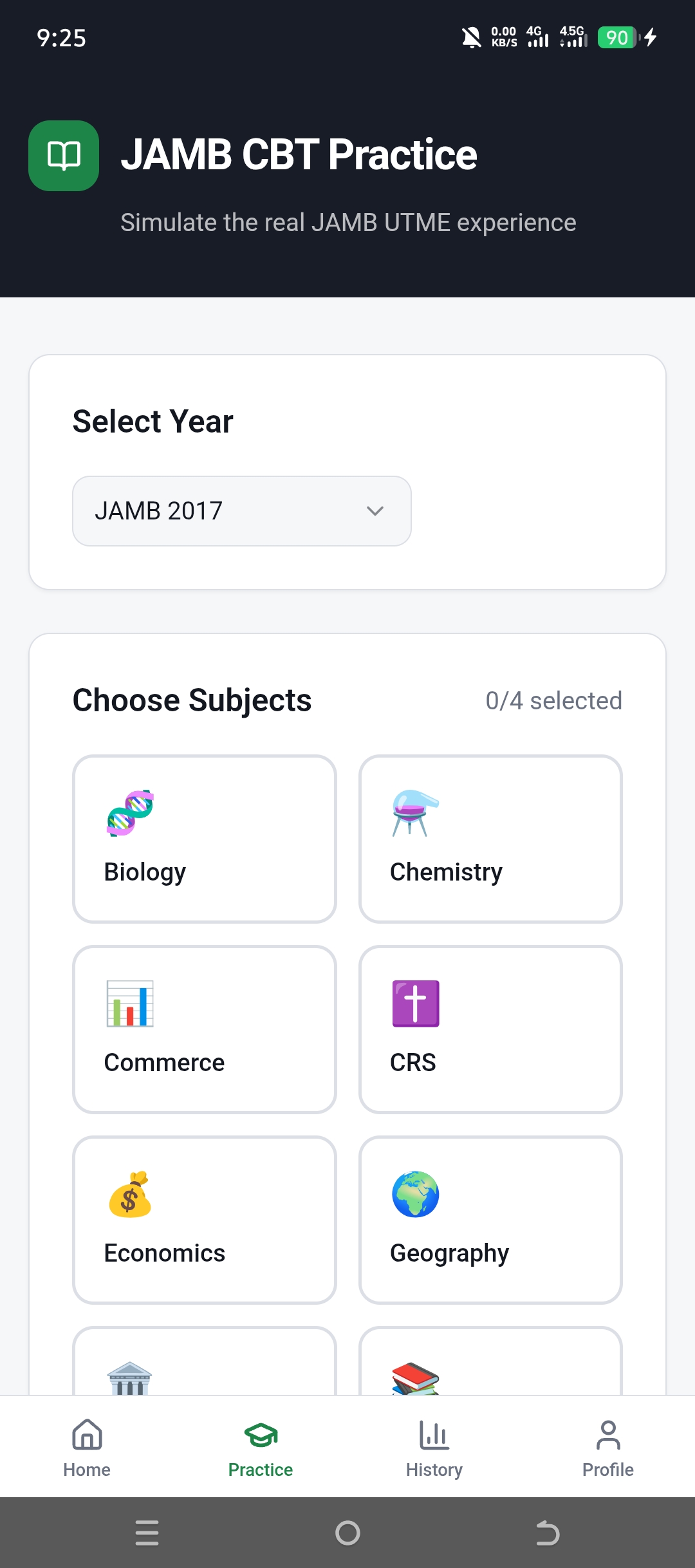
JAMB CBT Exam Guide is a free Android app that simulates the real JAMB UTME on your phone. You pick an exam year, choose up to four subjects, and practise either as a timed mock (Exam Mode) or a relaxed, feedback-as-you-go session (Study Mode). Every question comes from a past JAMB paper and carries a written explanation, and a dashboard tracks your scores over time. CBT, by the way, just means Computer-Based Test — the format JAMB has used since 2015.
What's Inside
Everything the app does for you
Six features that turn your phone into a JAMB exam hall you can practise in any time.
Real JAMB Past Questions, by Year
Pick an exam year — 2016, 2017 and on — and practise the actual questions JAMB has set before. The pattern repeats more than students expect, so this is the highest-value prep you can do.
Exam Mode (Timed Like the Real Thing)
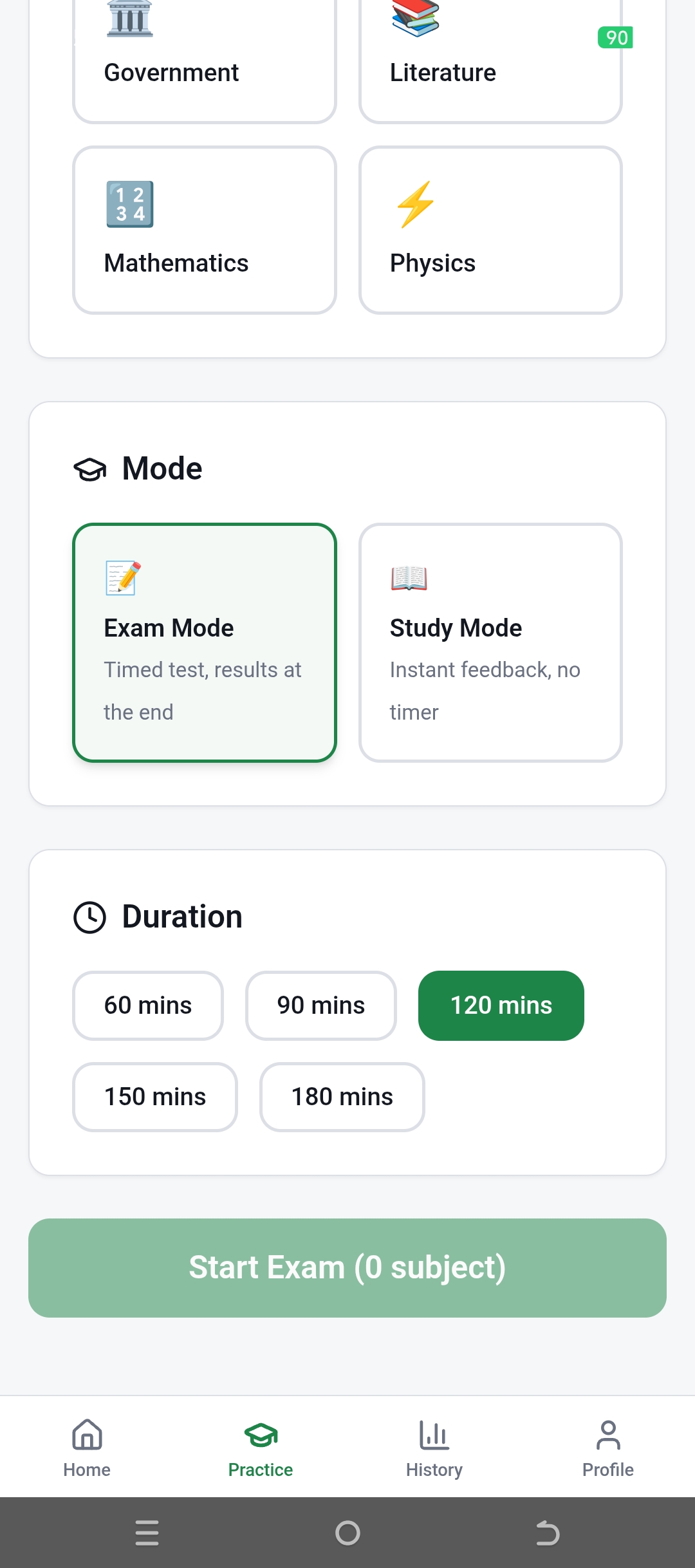
Choose your duration — 60, 90, 120, 150 or 180 minutes — and sit a full timed mock. Results come at the end, exactly the way they do in the JAMB hall. The clock is the part most candidates never train for.
Study Mode (Learn as You Go)
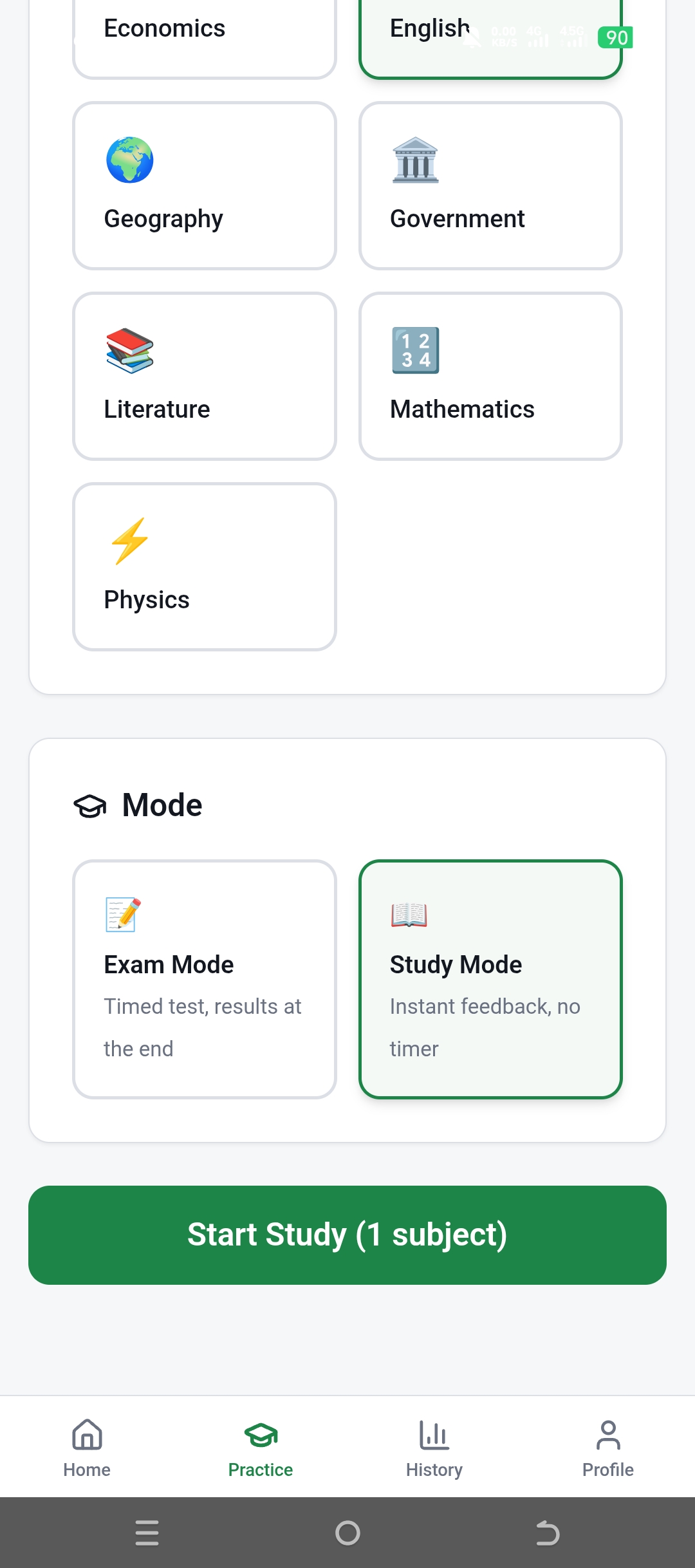
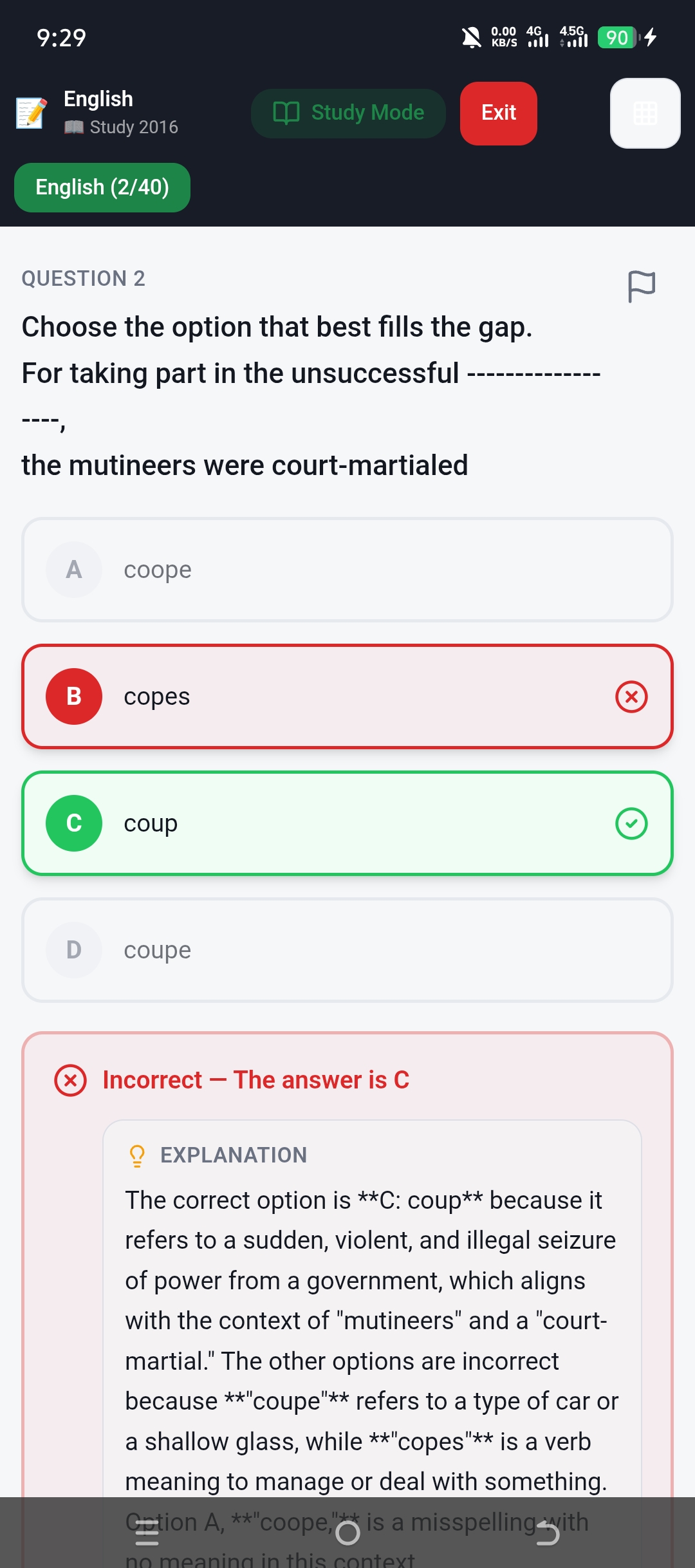
No timer, instant feedback. Answer a question and the app tells you straight away whether you're right, then explains why — and why the other three options are wrong.
Pick Your 4 Subjects
Select up to four subjects to match your course combination, just like UTME. English, Maths, Physics, Chemistry, Biology, Government, Economics, Literature, Commerce, CRS, Geography and more are all there.
Detailed Explanations
Every question carries a worked explanation. Get 'coup' vs 'coupe' vs 'copes' wrong once with a clear reason, and you'll never miss it in the real exam.
Scores, Accuracy & History
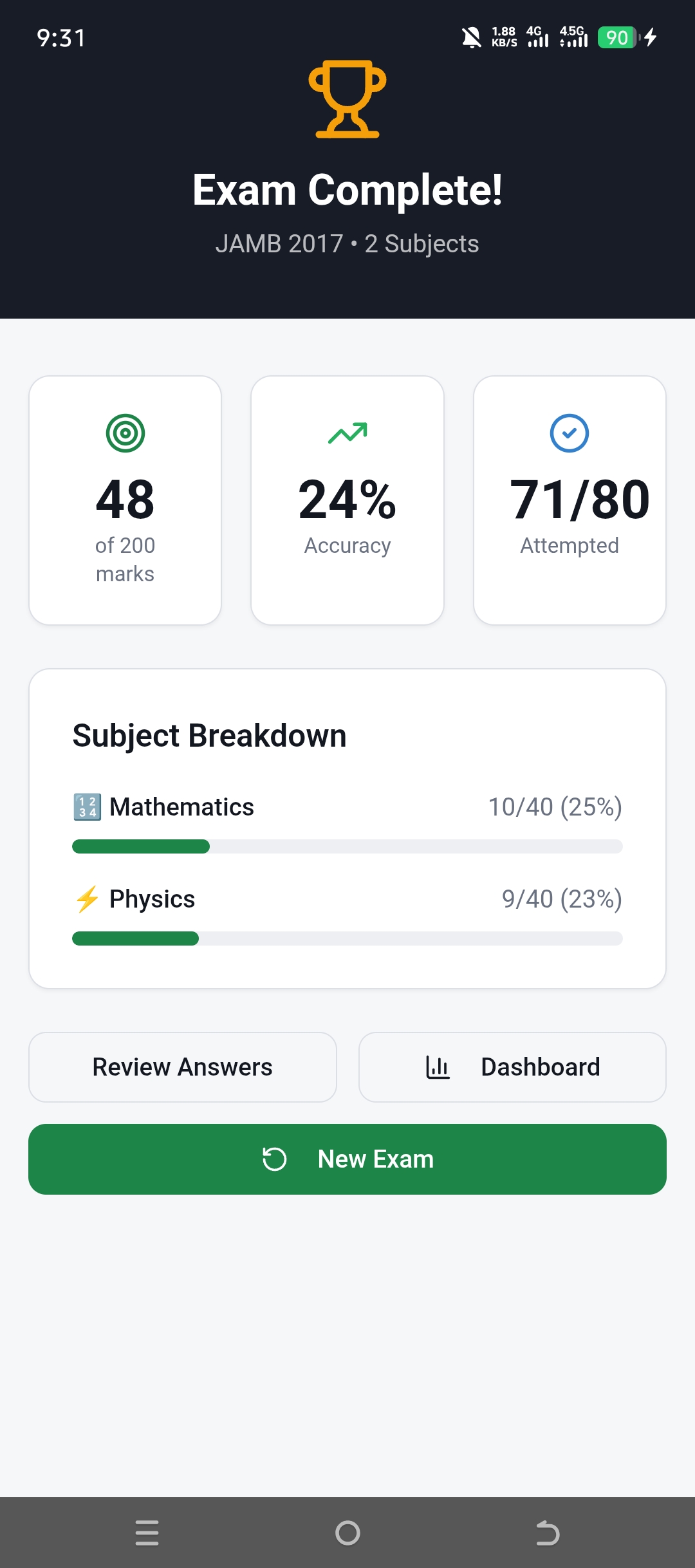
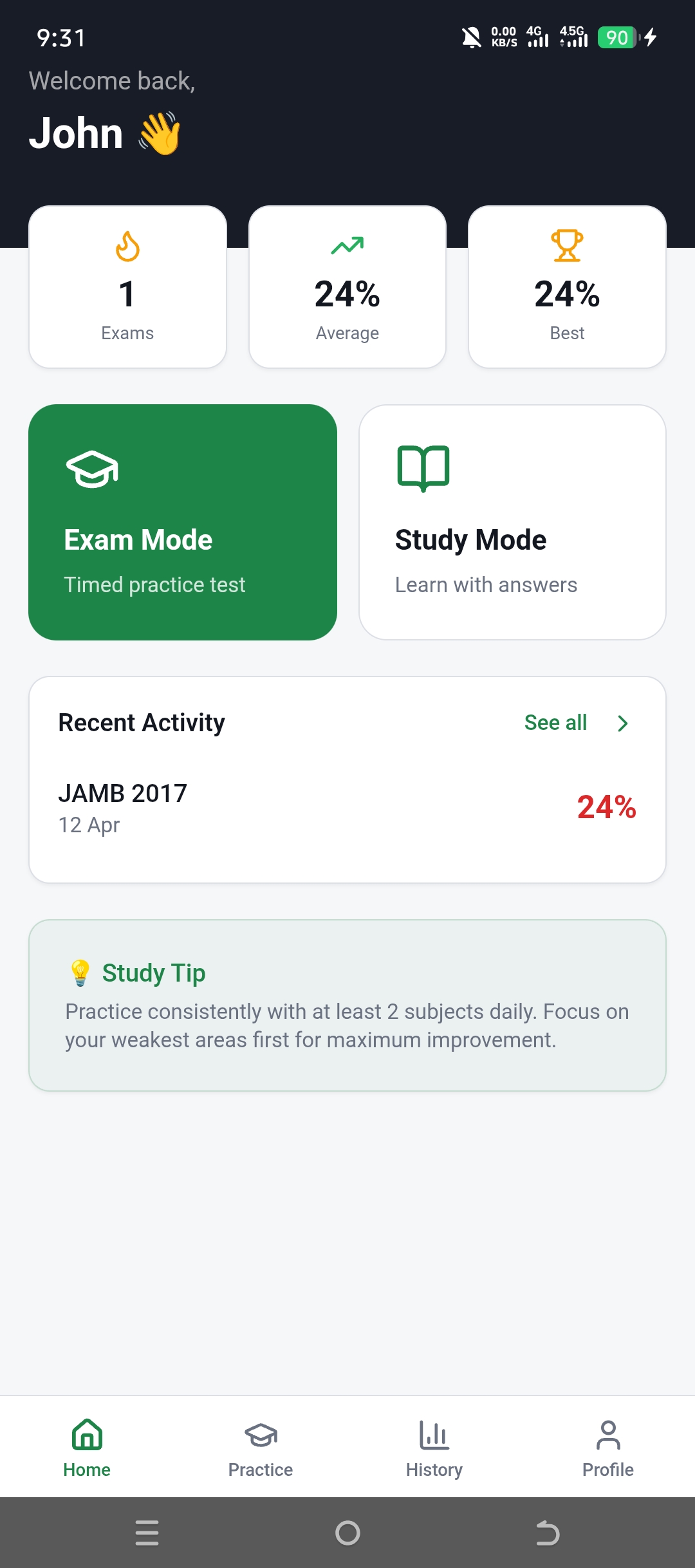
After each mock you see your total marks (scored to 400, the JAMB scale), accuracy, questions attempted, and a subject-by-subject breakdown. The dashboard tracks your average, your best, and your streak over time.
See It In Action
What it looks like on your phone
From picking your subjects to reading the breakdown after a mock.
Who Should Download It
Who is it for?
If you're sitting UTME — or helping someone who is — it fits.
First-time UTME candidates
Get used to the computer-based format before exam day so the screen, the clock and the navigation feel familiar.
Re-sitting candidates
Chasing a higher score? Drill the years you struggled with and watch your average climb on the dashboard.
SS2 & SS3 students
Start early. A few timed mocks a week beats cramming a week before registration closes.
Students on tight data
Download a subject once and practise without burning bundles every session.
Science, Art & Commercial students
Every common combination is covered — Biology and Chemistry, Government and Literature, Economics and Accounting, you name it.
Parents helping a child prep
Hand them a free, structured tool instead of a stack of past-question booklets nobody marks.
Step-by-Step
How to use it in four steps
From install to your first scored mock in a few minutes.
Install free and open Practice
Download the app from Google Play, open the Practice tab, and choose the exam year you want to attempt.
Choose your subjects and a mode
Select up to four subjects, then pick Exam Mode for a timed mock or Study Mode to learn with instant feedback.
Answer real past questions
Work through the paper. In Exam Mode the timer runs; flag tricky questions and jump around using the question grid.
Review, learn, repeat
Check your score and subject breakdown, read the explanations on what you missed, then attack your weakest subject again.
Why It Stands Out
Why pick this over a past-question booklet?
It's genuinely free
Most strong offline JAMB apps charge a one-time fee — Awajis runs about ₦4,000 for lifetime access, for example. This one costs nothing to install and practise. For a candidate already paying JAMB fees and school bills, that matters.
It trains the clock, not just the content
Plenty of students know the material and still score low because they've never practised under a countdown. Exam Mode fixes the one thing past-question booklets can't.
Explanations, not just answer keys
A booklet tells you the answer is C. This tells you why C is right and why A, B and D are traps — which is how the lesson actually sticks.
Light enough for a cheap Android
It runs fine on entry-level phones and doesn't need a constant connection once a subject is downloaded. That's most Nigerian candidates' reality.
The honest verdict
No app studies for you, and this one won't either. What it does well is remove every excuse not to practise: it's free, it fits on a cheap phone, it works offline once a subject is downloaded, and it puts a real timed mock one tap away. That combination is rarer than it sounds — the strongest offline rivals usually want a one-off payment first.
If I'm being honest, the single most useful button here is Exam Mode. Knowing your subjects cold means little if you've never felt 180 questions chewing through a two-hour clock. Train that, read the explanations on what you miss, and your score moves. Simple as that.
Start your first timed mock today
Install JAMB CBT Exam Guide free on Google Play and sit a real past paper under the clock before 2027 UTME catches you cold.
Download freeQuick Answers
Frequently asked questions
Q.Is the JAMB CBT Exam Guide app free?
Yes. It's free to download from Google Play and free to practise with. There's no upfront charge to access the past questions, Exam Mode or Study Mode.
Q.Does it work offline?
Partly. Once you've downloaded a subject, you can practise that subject without an internet connection. Some features — like getting fresh content and syncing — still need data.
Q.Which subjects does it cover?
All the common UTME subjects: English (compulsory), Mathematics, Physics, Chemistry, Biology, Government, Economics, Literature, Commerce, CRS, Geography and more. You pick up to four to match your combination.
Q.Are the questions real JAMB past questions?
Yes. Questions are organised by exam year, so you practise the actual questions JAMB has set in previous UTME sittings, each with a worked explanation.
Q.How is it scored?
A full mock is scored to 400 marks — the same scale as the real UTME — with a subject-by-subject breakdown showing your marks, accuracy and questions attempted.
Q.Will practising on it actually raise my JAMB score?
There's no magic, but timed practice on real past questions is the single most reliable way to prepare for a CBT exam. The app makes that easy to do daily, which is where the improvement comes from.
Stop reading about JAMB. Start practising it.
Free, light, and packed with real past questions. Spend the months before UTME building speed and confidence — not panic.
Featured by Etest Tech Hub — building practical mobile apps for Nigerian students and everyday life.