
JAMB and exam prep
The JAMB CBT calculator: how it works and how to practise with it
What JAMB's own manual says about the on screen calculator in the UTME, what it does not say, and how to practise calculations before the exam.
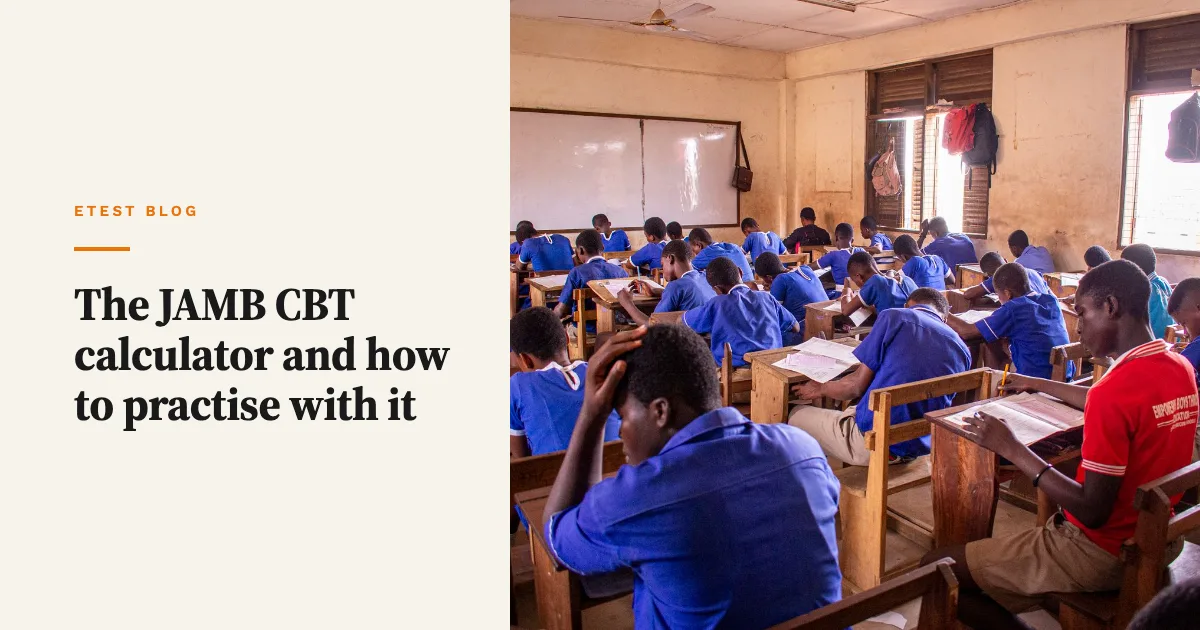
The JAMB CBT calculator is a basic calculator built into the exam software: JAMB's 2026 manual for officials tells candidates to click the calculator icon at the top right corner of the screen to open it. You cannot bring your own calculator, so practise with an on screen one before exam day.
Key points
- JAMB's manual says the calculator opens from an icon at the top right of the screen, and officials should help candidates who need it.
- Bringing a physical calculator into the hall is listed as misconduct, with cancellation of result and prosecution.
- JAMB does not publish the calculator's buttons or the subjects where it appears. Reports say it is basic, with the four operations and a square root.
- Practise with an on screen calculator and do simple sums in your head, so you only reach for it when it saves time.
- My app, Etest CBT: JAMB Practice 2027, has an on screen calculator in every timed exam. Get it on the App Store or Google Play.
What does JAMB say about the calculator?
I went to the source. JAMB's Manual for Officials of the 2026 UTME, a PDF on jamb.gov.ng, has a table on how candidates use the computer. Two lines cover the calculator.
- For candidates who use a mouse: "click on the calculator icon shown on top right corner of the screen to access the calculator."
- For candidates who do not use a mouse: "Examination Officials should help to click on the top right corner as shown on the screen to access the calculator."
The same manual is strict about real calculators. It lists "calculators or similar electronic devices" as prohibited items, and the misconduct table gives the penalty for having one in the hall: cancellation of result and prosecution. BusinessDay's report of 13 April 2026 on the 2026 UTME listed calculators among 23 banned items.
So the rule is simple. The only calculator you get is the one on the screen.
What can the on screen calculator do?
This is where the official record runs out. I found no JAMB page that lists the calculator's buttons, and the manual does not say which subjects show the icon.
The most detailed account I found is secondary. In April 2024 Legit.ng quoted Adesegun Ogungbayi of MIMS Educational Services, who said the calculator is basic, with addition, subtraction, multiplication, division, square root and two other functions, and that it is available in Mathematics, Physics, Accounts and Economics. JAMB itself was not quoted, and that was the 2024 exam.
My reading: plan for a basic calculator, not a scientific one. If it turns out to have more, good. If you have practised logs, powers and trigonometry ratios as if there is no scientific calculator, you lose nothing.
How do the other CBT controls work?
The calculator sits on a screen you will drive mostly with the keyboard, so learn the keys at the same time. From the same manual:
| Key | What it does |
|---|---|
| A, B, C or D | Selects an answer, and saves it |
| N | Next question |
| P | Previous question |
| Up and down arrows | Scroll a long passage |
| S | Submit the exam |
| Y | Confirm submission |
| R | Return, if you pressed S by mistake |
You can also click any question number at the bottom of the screen to jump to it. Once you submit, you cannot go back.
On paper, the manual says candidates may bring only ordinary pencils as writing materials, and erasers are on the prohibited list. Its checklist for supervisors says candidates are issued "Instruction/Rough Worksheets" before the exam and that these are collected at the end. So you will have somewhere to write working, but no eraser to tidy it.
How should I practise with an on screen calculator?
Treat the calculator as a tool for long arithmetic, not for every sum. Clicking buttons with a mouse is slower than you think, and the UTME gives you 180 questions in 2 hours, about 40 seconds each on average.
- Practise on a screen, not a phone calculator app. Any CBT practice app with a built in calculator will do. The point is the habit of opening it, typing, reading the answer and closing it.
- Time yourself. Do ten Physics or Mathematics questions with the calculator and ten without. If the calculator does not save time on a question type, stop using it for that type.
- Do small sums by hand. Times tables to 12, squares to 15 and common fractions should be instant. Save the calculator for things like 3.6 × 47.5.
- Use brackets or work in steps. On a basic calculator, type one step, write the result on your rough sheet, then do the next. It is slower but you can check it.
- Know what it cannot do. Without a scientific calculator, learn log and trig values the syllabus expects, and practise rearranging formulas before you calculate.
- Check the answer against the options. If your result is 0.47 and the options are 4.7, 47, 470 and 0.047, you probably slipped a decimal point. Estimate first.
How does the calculator in Etest CBT work?
I built a calculator into the timed exams in Etest CBT, because practice without one trains the wrong habit. It opens from the calculator icon at the top right of the exam screen, in every subject, and slides up from the bottom so it does not cover the question for long.
It has the basic keys: clear, brackets, divide, multiply, minus, plus, square root, percent, the decimal point, delete and equals. That is close to the basic calculator described in reports, but I cannot promise it matches JAMB's software button for button, because JAMB does not publish that.
The app also has a full JAMB mock in the UTME layout, 60 Use of English questions and 40 in each of three subjects in 2 hours, plus 5,553 past questions with an explanation for every answer. It works offline. See Etest CBT. It is an independent app, not affiliated with JAMB.
If you want the pacing side of this, I wrote about how long to spend per JAMB CBT question.
Frequently asked questions
Can I bring a calculator to the JAMB CBT exam?
No. JAMB's 2026 manual for officials lists calculators and similar electronic devices as prohibited items. Having one in the exam hall can lead to cancellation of your result and prosecution. Use the calculator on the computer screen instead.
Where is the calculator on the JAMB CBT screen?
JAMB's manual says candidates click the calculator icon at the top right corner of the screen. Officials are told to help candidates who are not used to a mouse. Look for the icon when you first log in, so you do not hunt for it mid paper.
Is the JAMB CBT calculator scientific?
JAMB does not publish its functions. A 2024 report quoting an education provider described a basic calculator with the four operations, square root and two other functions. Plan as if you only have a basic calculator, and learn the log and trig values you need.
Is the calculator available in every JAMB subject?
I could not confirm this from JAMB. The 2024 report said it appears in Mathematics, Physics, Accounts and Economics. Since chemistry also has calculations, practise those by hand as well, and check the screen for the icon in every subject on the day.
Do I get rough paper in the JAMB CBT exam?
JAMB's manual says supervisors issue instruction or rough worksheets to candidates before the exam and collect them at the end. Candidates may bring only ordinary pencils, and erasers are on the prohibited list, so write your working neatly from the start.
How I wrote this
I read JAMB's Manual for Officials of the 2026 UTME on jamb.gov.ng on 24 October 2026 and quoted it directly. Where JAMB says nothing, such as the calculator's buttons and subjects, I used news reports and said so. JAMB can change its software for 2027, so check the official site before the exam. The Etest CBT details come from the app I built.
By John Osakwe, founder of Etest Tech Hub. I have built apps and websites since 2015, including Etest CBT, FizzFree and Pawlarm.
Practice with Etest CBT
Timed JAMB practice with explanations and a study plan, free on the App Store and Google Play.

John Osakwe
John Osakwe has built 100+ apps and websites since 2015, including Etest CBT, FizzFree and Pawlarm. More about John.